Every day
Family to-dos
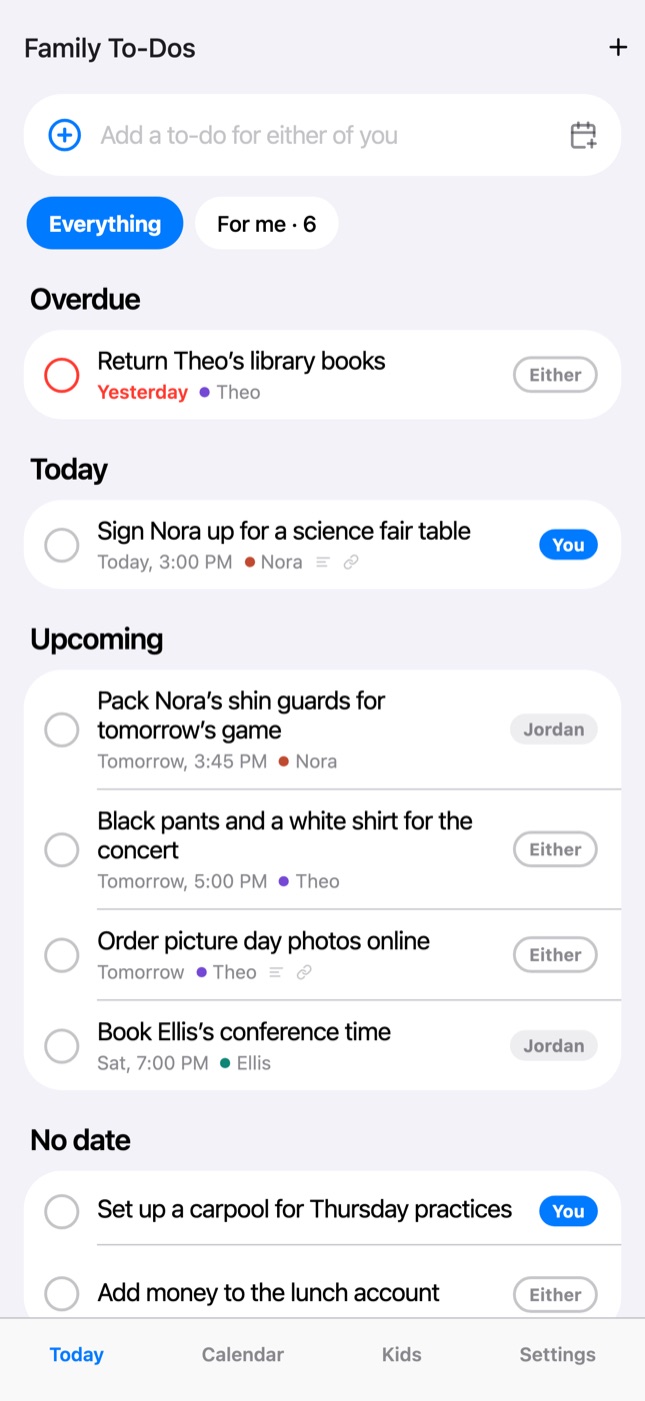
One shared to-do list for both parents: who’s doing each one, when it’s due, and a heads-up when the other parent adds one for you.
Updated November 20, 2026
Coming in Minivan 1.5
Family to-dos arrive in the next Minivan update. Once it’s out, update the app from the App Store on both phones.
Where to find it
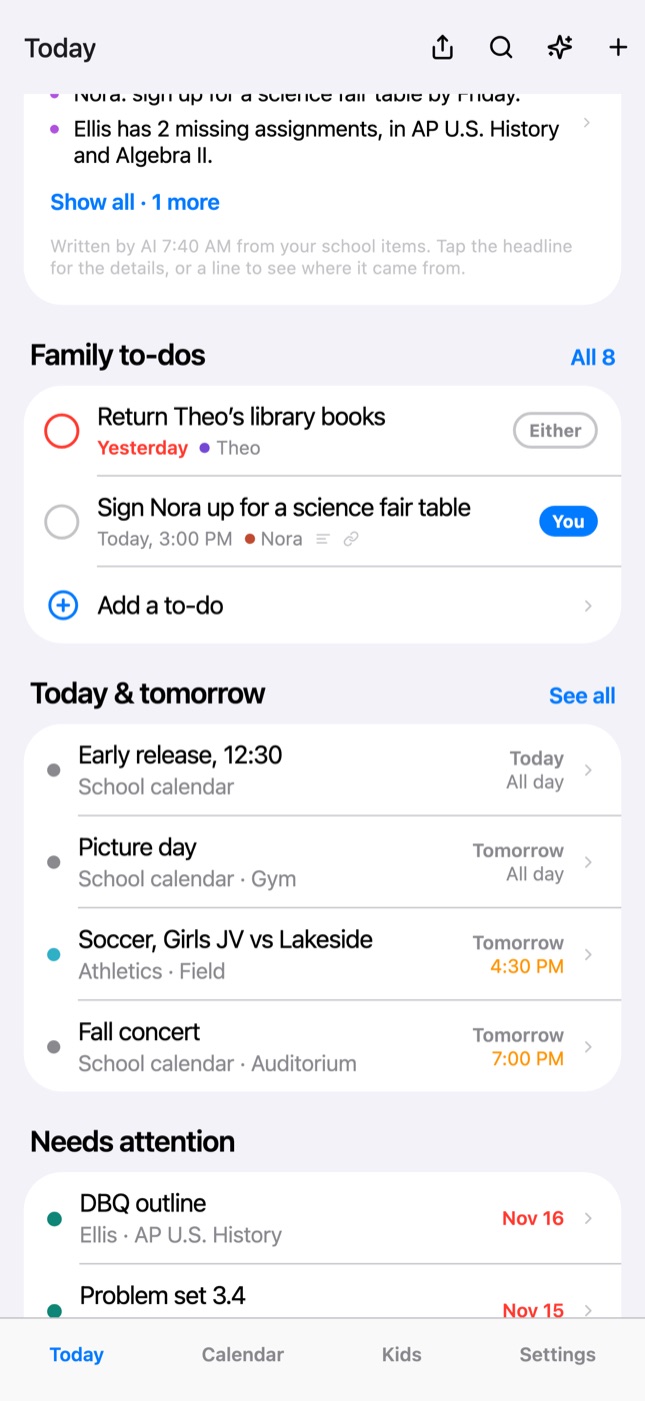
On Today, the Family to-dos card shows what’s overdue or due today for you or for either of you, and what’s next when nothing is. Tap All to open the whole list: Overdue, Today, Upcoming, No date and Done. Tap For me to see only yours.
Add a to-do
- Type it in the box at the top of the list, or tap + for the details.
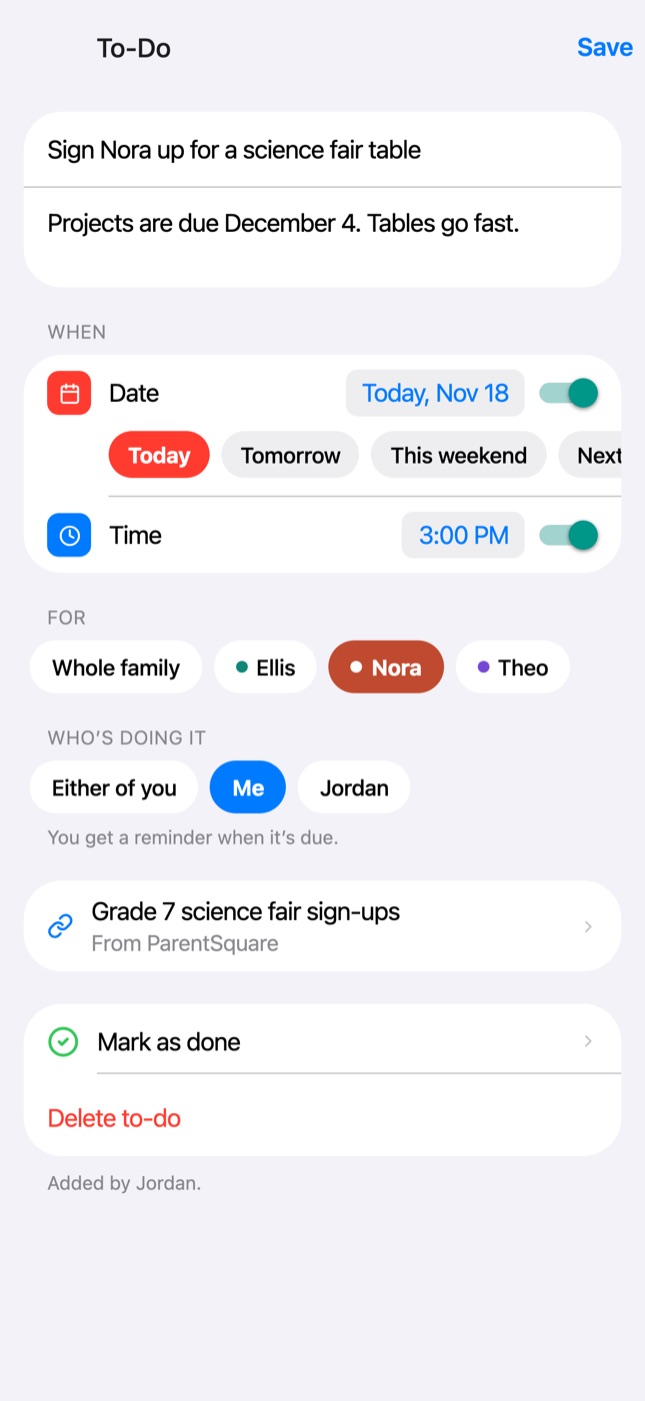
- Pick a day (Today, Tomorrow, This weekend or any date) and, if you like, a time.
- Choose the kid it’s for and who’s doing it: you, the other parent, or either of you.
From a school post or event
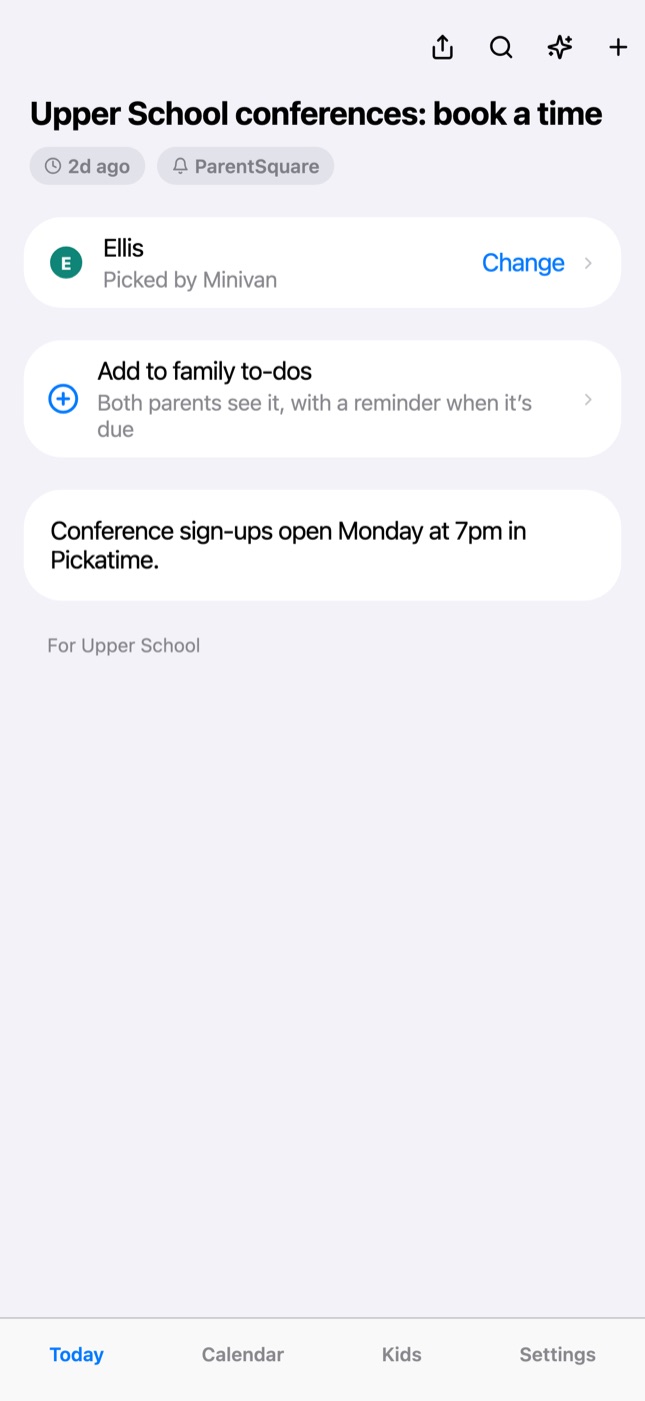
Open any post, event or assignment and tap Add to family to-dos. The to-do starts with its title, day and kid, and links back to where it came from.
Check it off, hand it over
Tap the circle to check it off; the other parent’s list shows it’s done and who did it. Touch and hold a to-do to mark it done, give it to the other parent or delete it. Tap it to change anything.
Reminders and heads-ups
- A reminder when yours (or either of yours) are due: at its time, or at 9 AM on its day when it has none.
- A heads-up when the other parent adds one for you, hands you one, or finishes one you added.
- Settings → Notifications → Family to-dos turns them on or off.
Who sees it
Only the parents in your family account. Invite the other parent from Settings → Invite the other parent to share the list.
To-dos are kept with your family account so both phones stay in step. They also stay on your iPhone, so the list opens without a connection, and changes you make offline are sent when you’re back online.
← All help · FAQ · Questions? support@getminivan.com