Every day
Ask Minivan and the weekly brief
Questions answered from your own school and team items, a short brief of the week, and the camera to scan schedules.
Updated November 20, 2026
Turn on Minivan AI
Settings → Minivan AI → Turn on AI. It’s off until you turn it on. Each request sends only what that answer needs (upcoming items, grades and missing work, one post or one photo) through Minivan’s server. Nothing is kept there. School logins never leave your iPhone.
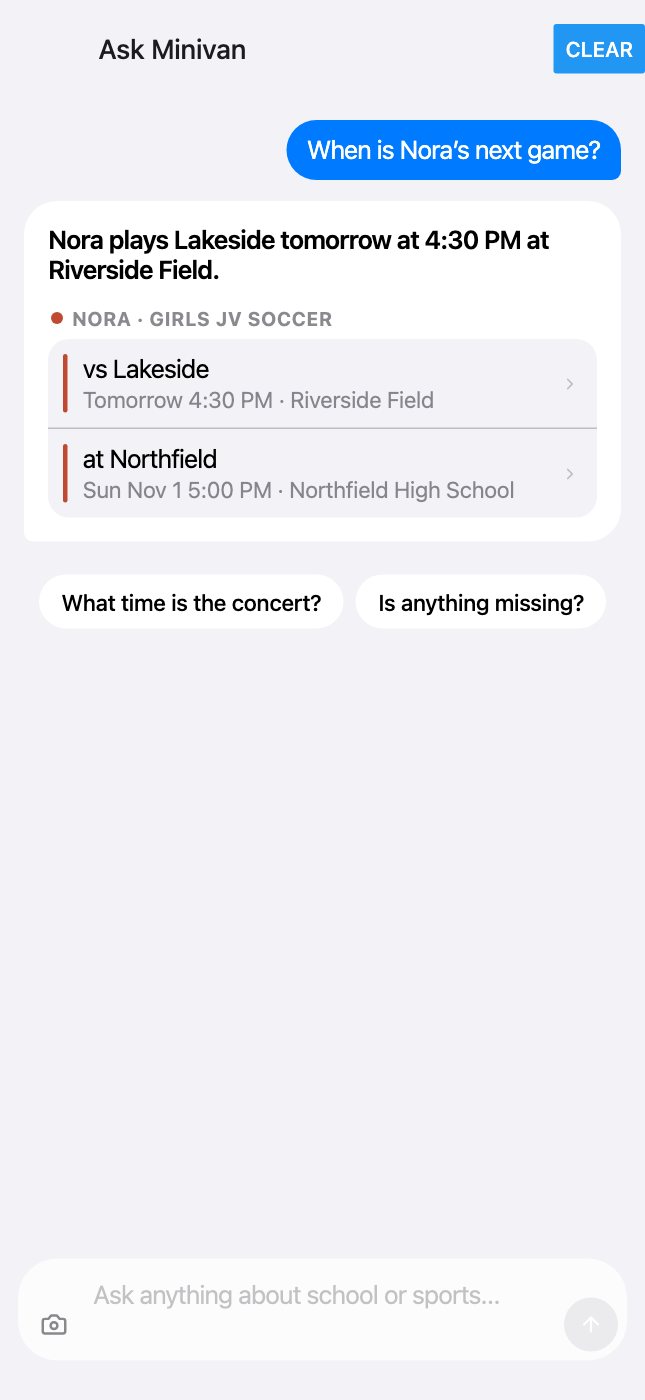
Ask anything about school or sports
Answers link to the items they came from, so you can check them. Tap the camera at the left of the Ask bar to scan a schedule.
- “Is there school Friday?”
- “What’s missing or due soon?”
- “When is Nora’s next game?”
- “What time is the concert?”
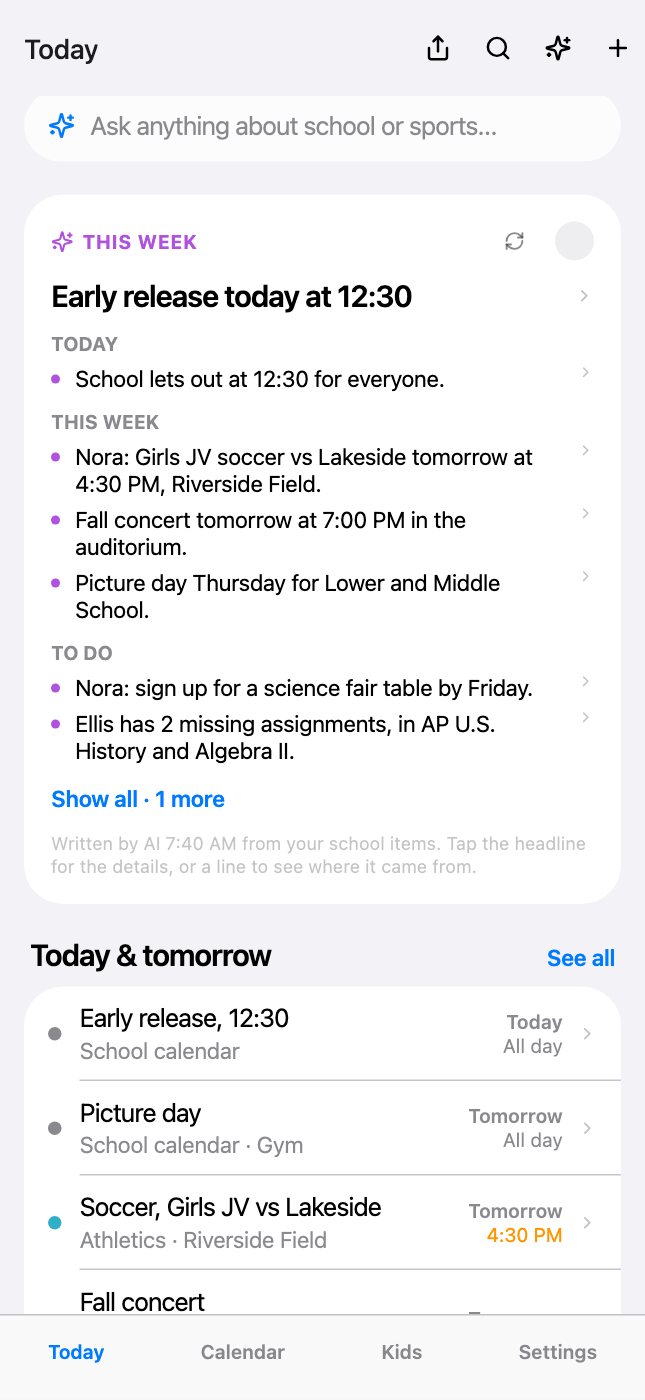
The weekly brief
At the top of Today: a few lines on today, the week ahead and what needs doing, written from your own items. Tap any line to open the item.
← All help · FAQ · Questions? support@getminivan.com